
With License Statistics v7.4, License Statistics administrators can now add administrative-level report elements to dashboards. This release also includes support for a new license manager, configurable SSL certificates for MySQL connections, and the ability to control incoming connections to the web server.
Read on to find out about the major new features and enhancements we’ve made in License Statistics v7.4.
Ability to add administration reports to dashboards
With this release, License Statistics administrators can now add elements from administrative-level reports (those found under the Administration section in the left navigation panel) to their dashboards.
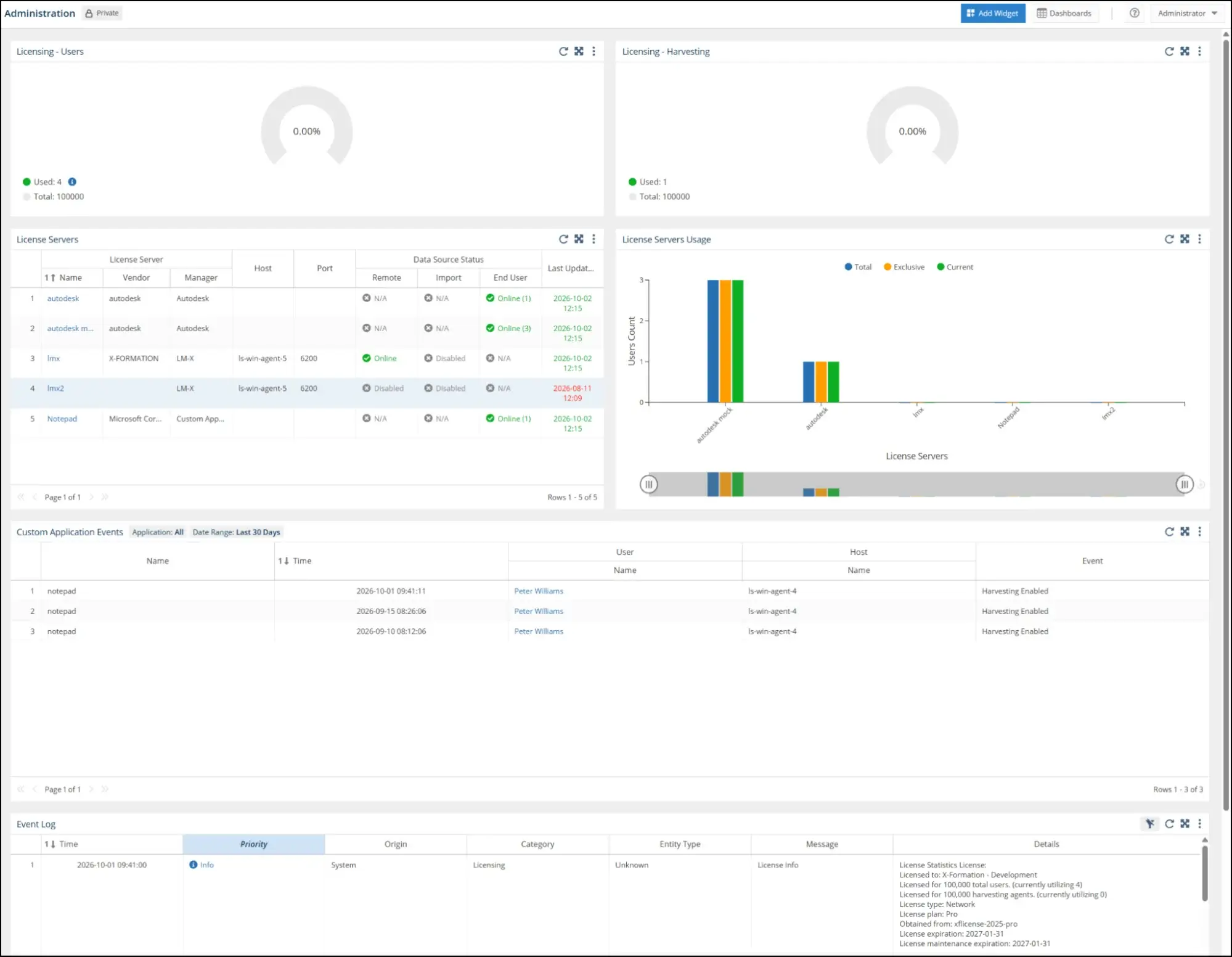
The grids, charts, and other elements that can be pinned from administration reports are included under the Administration section in the Add Widget to Dashboard dialog.
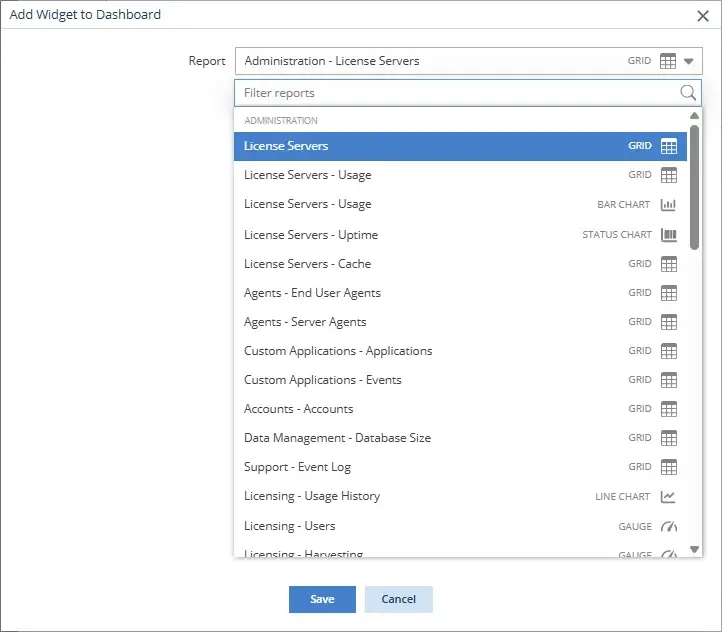
As for other reports that can be pinned to dashboards, you will now see a Pin to Dashboard icon in the upper right of Administration page panels that are available for inclusion in dashboards.

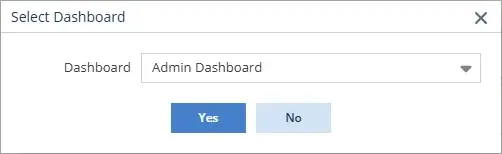
When you click the Pin to Dashboard icon, you’ll be asked to select the dashboard to add the panel to. You can select any existing dashboard.
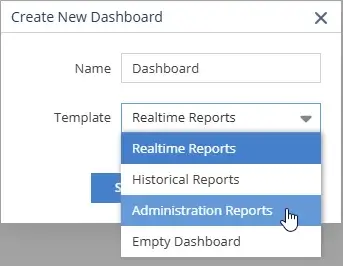
This major improvement to dashboard capabilities also includes a new Administration Reports template, which helps you easily add a new administrative-level dashboard to your collection. This template includes License Usage charts (depending on licensing model); License Servers grid; License Server Usage chart; Custom Application Events grid; and Event Log. (For new administrator accounts, an Administration Reports dashboard is included in the default dashboards listed in the Dashboards menu.)
Administration report dashboards are managed in the same way as other dashboards. However, note that the data shown in Administration report widgets is viewable only by administrative-level users. Users with standard permissions can see a dashboard with Administration report widgets if it’s shared with them, but they won’t be able to see the data in the Administration report widgets.
Additional license manager support
License Statistics v7.4 adds Maya HTT to our extensive list of supported license managers, including log file importation and support for feature versioning.
Custom SSL certificates
This release adds the ability to configure custom SSL certificates when connecting to an external MySQL database.
As with previous License Statistics versions, MySQL will attempt to establish an encrypted connection using self-signed certificates by default. The new configuration options let you harden the configuration by using custom certificates and forcing certificate verification.
Ability to set the web server bind address
License Statistics now allows setting the web server bind address to control possible incoming connections.
Currently, the default value is set to 0.0.0.0 (allow all incoming connections) to maintain full backward compatibility. However, in a future release, the default value will be changed to 127.0.0.1 to allow localhost connections only.
This change may require reconfiguration by your system administrator, so please plan accordingly.
For a complete list of enhancements and fixes, see the License Statistics v7.4 Release Notes.
As always, the improvements made in License Statistics v7.4 are in response to customer feedback, so please let us know what you think of the License Statistics v7.4 new features and enhancements, and don’t hesitate to contact support@x-formation.com with any questions. We look forward to hearing from you!
Get to know License Statistics